
In the SAP SD module, Product Hierarchy is a standard mechanism that enables materials to be classified under a structured hierarchy based on commercial and analytical requirements. This structure provides a consistent and sustainable data model, particularly for critical processes such as pricing, campaign management, and sales reporting.
What Is Product Hierarchy?
- Product hierarchy enables materials to be classified into logical groups in a tree structure.
- In standard implementations, the structure is typically designed with three levels; however, the number of levels can be increased based on business needs.
- Once defined, the hierarchy is assigned to the material master and automatically transferred to sales documents.
An example of a three-level structure can be designed as follows:
Electronics → Home Appliances → Refrigerator
Why Is Product Hierarchy Used?
- Pricing Management: Prices and discounts can be defined at the product group level, reducing the need for material-level maintenance.
- Reporting and Analytics: Sales and revenue analyses can be reported more meaningfully at the product family level.
- Campaign and Incentive Design: Periodic campaigns and revenue-based incentives can be managed based on product hierarchy.
- Standardization: Consistency in terminology and classification is ensured across the product portfolio.
Where Is Product Hierarchy Defined?
Product hierarchy is defined within SAP SD customizing processes via the SPRO menu or directly using the V/76 transaction code.
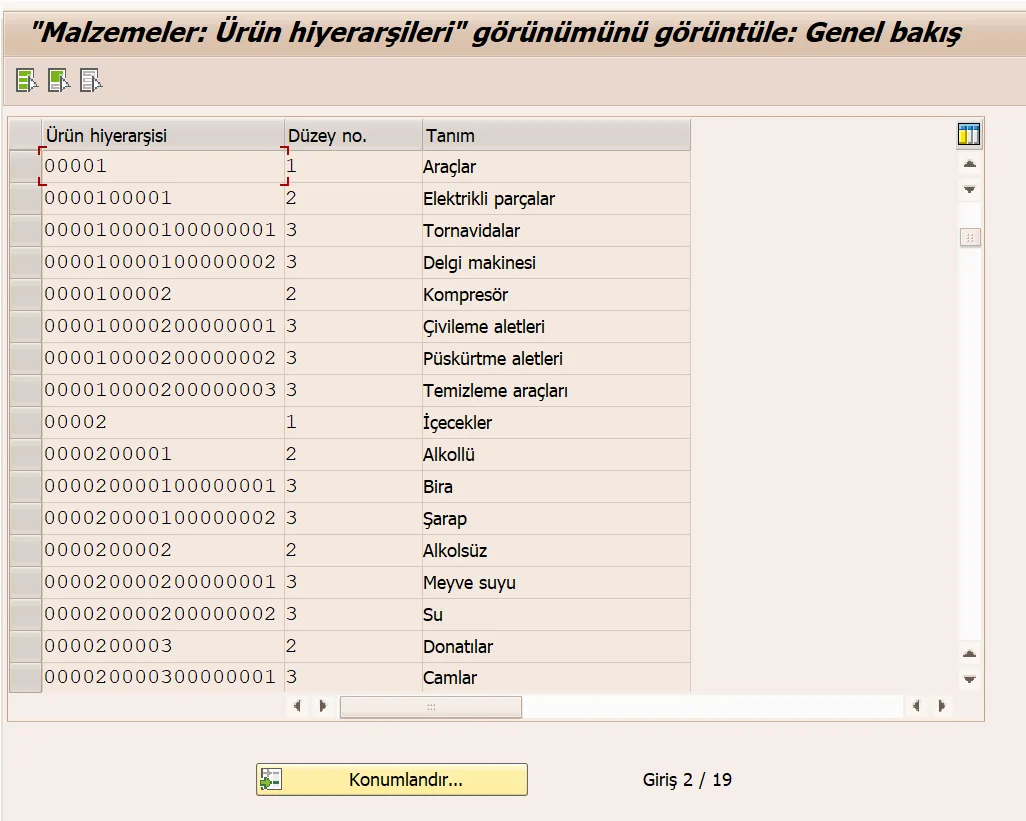
Product Hierarchy Levels (Level 1 / 2 / 3)
In corporate implementations, the most common approach is a three-level hierarchical model that balances manageability with strong reporting capabilities.
- Level 1: Main product family
- Level 2: Sub product group or category
- Level 3: Detailed breakdown / product sub-family
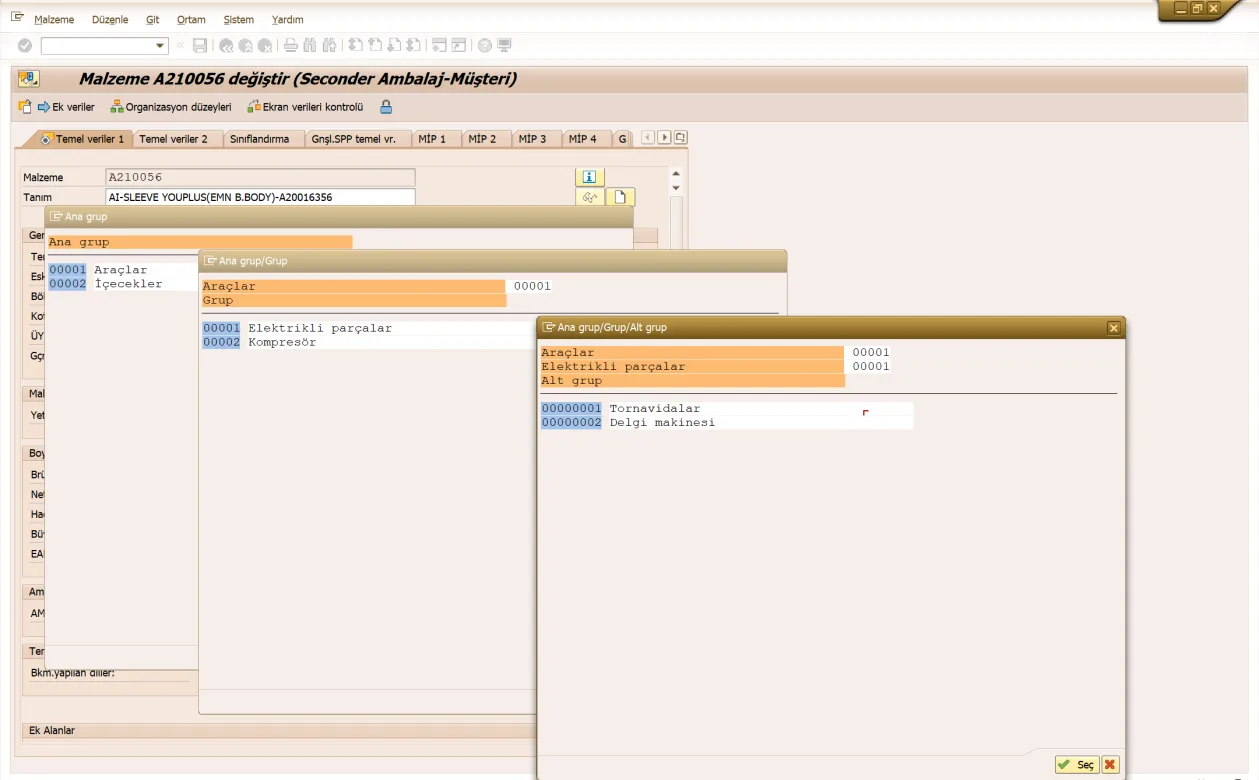
Assignment to the Material Master (MM02)
Once the product hierarchy is defined, it is assigned to the relevant material master using the MM02 transaction code. The assignment is performed in the Basic Data 1 view by selecting the hierarchy levels sequentially.
Conclusion
Product hierarchy enables pricing and analytical requirements in SAP SD processes to be managed using a product family approach rather than at the material level. A well-designed structure significantly enhances both operational efficiency and the quality of managerial decision-making processes.